Document control for pharma exports
Share regulatory documents with your exporters, without losing control.
One place for your CoAs, CoPPs, GMP certificates and dossiers. Share the right version with each exporter for as long as you choose, see every view and download, and get warned before certificates expire. No more email attachments and WhatsApp forwards.
- Invite-only
- Sign in with Google
- Tamper-evident audit trail
- Built for MSME manufacturers
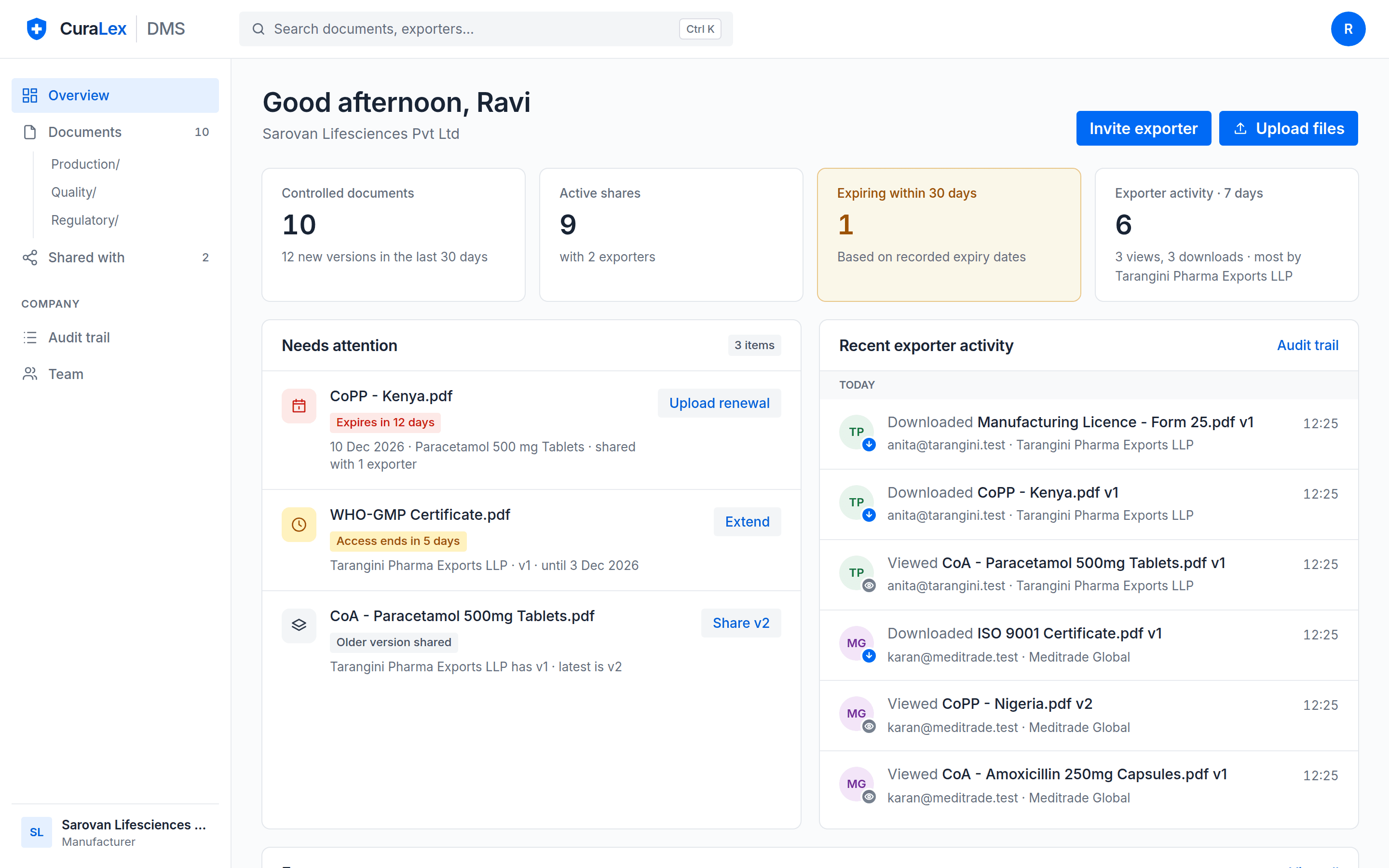
Sound familiar?
“Which version did we send them?”
CoAs and certificates go out as email attachments. Months later nobody knows which copy an exporter used in a dossier.
“Who forwarded our CoPP?”
Files get forwarded on WhatsApp with no record of who opened or downloaded them, and no way to take access back.
“The GMP certificate expired mid-registration.”
Expiry dates live in someone's spreadsheet, so renewals are noticed when an importer's regulator rejects the file.
How it works
From upload to exporter, under your control
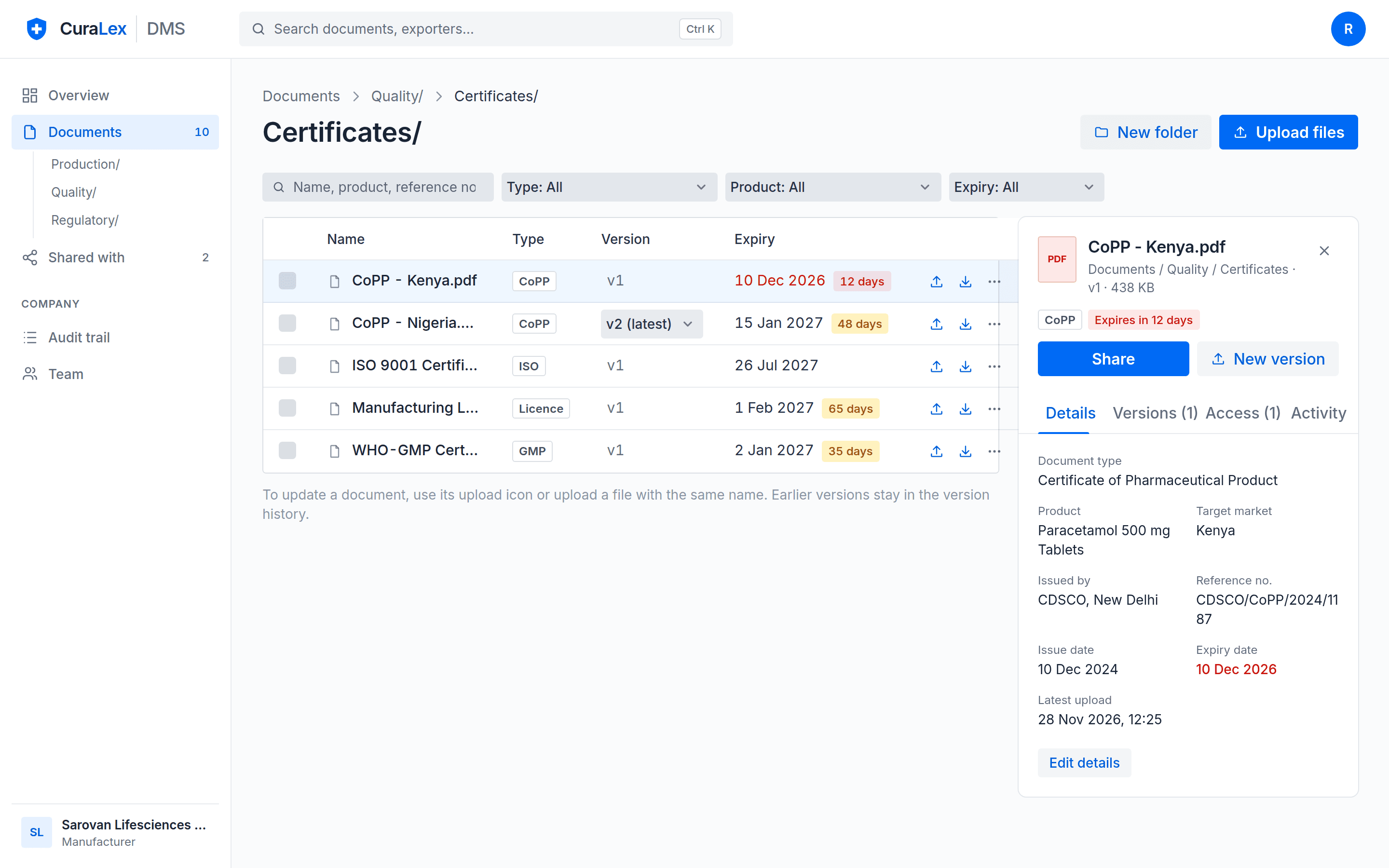
Step 1: Keep every controlled document in one place
Upload into your own folder structure. Uploading a file with the same name creates the next version, and every version stays in the history. Record the type, product, target market, issuing authority and expiry date for each document.
- Folders, versions and full history
- Type, product, market and expiry for every document
- Filter by type, product or what's expiring
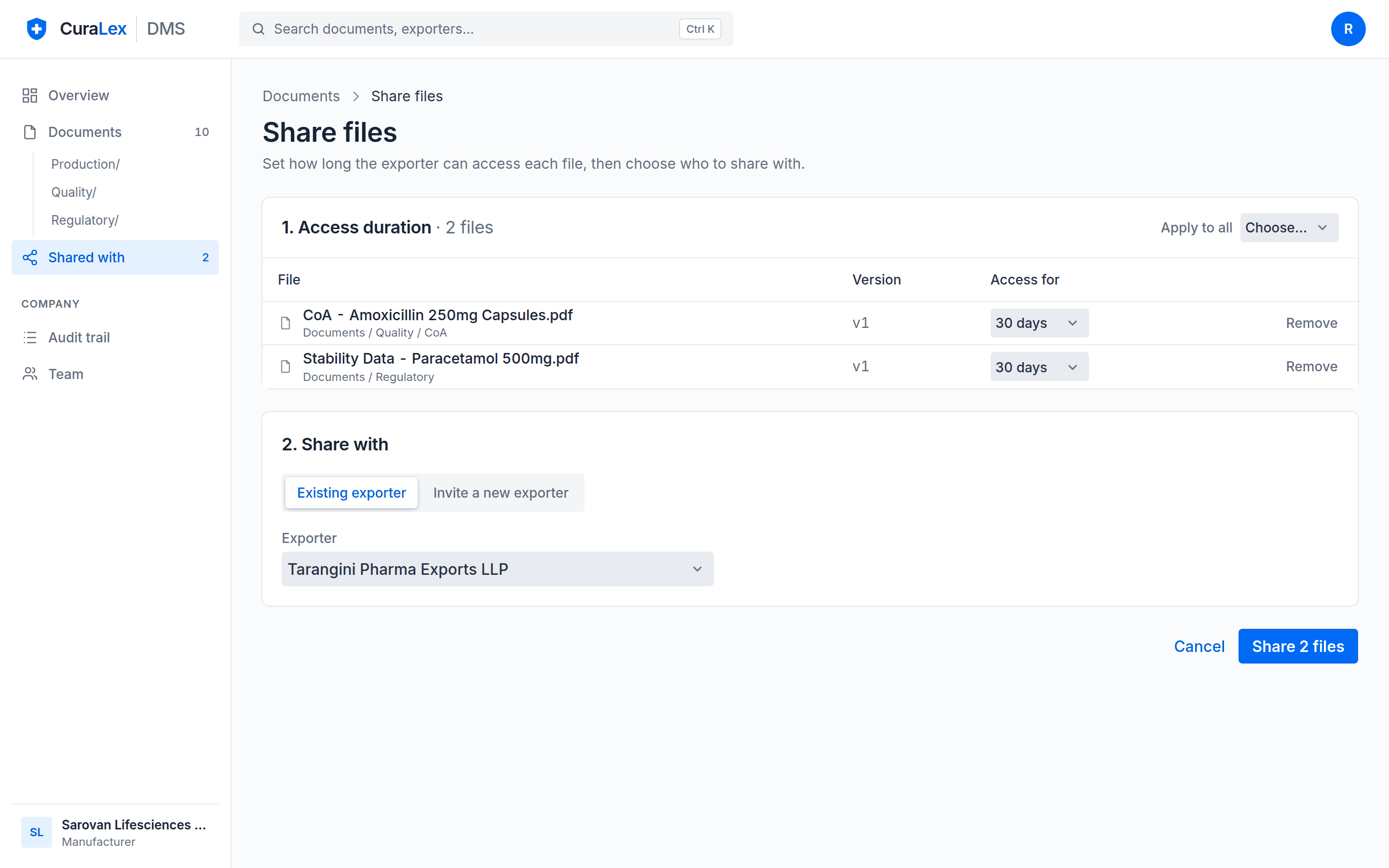
Step 2: Share the exact version, for as long as you choose
Pick files from any folder, choose the exporter and set access for 7 days, 30 days, a year or with no end date. New exporter? Invite them from the same screen by email.
- Choose the version per file
- Per-file access duration
- Invite a new exporter while sharing
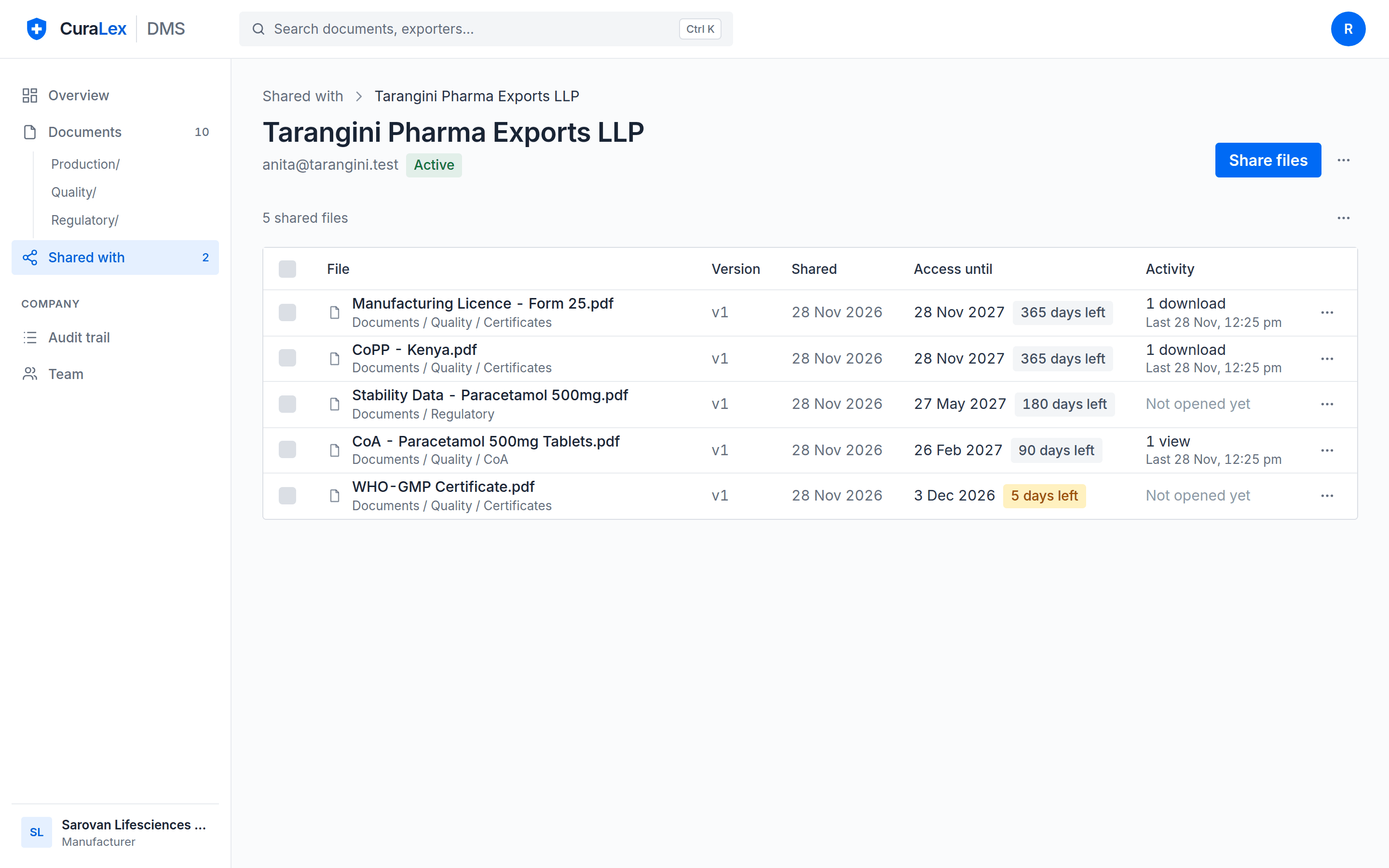
Step 3: See who opened what, and take access back
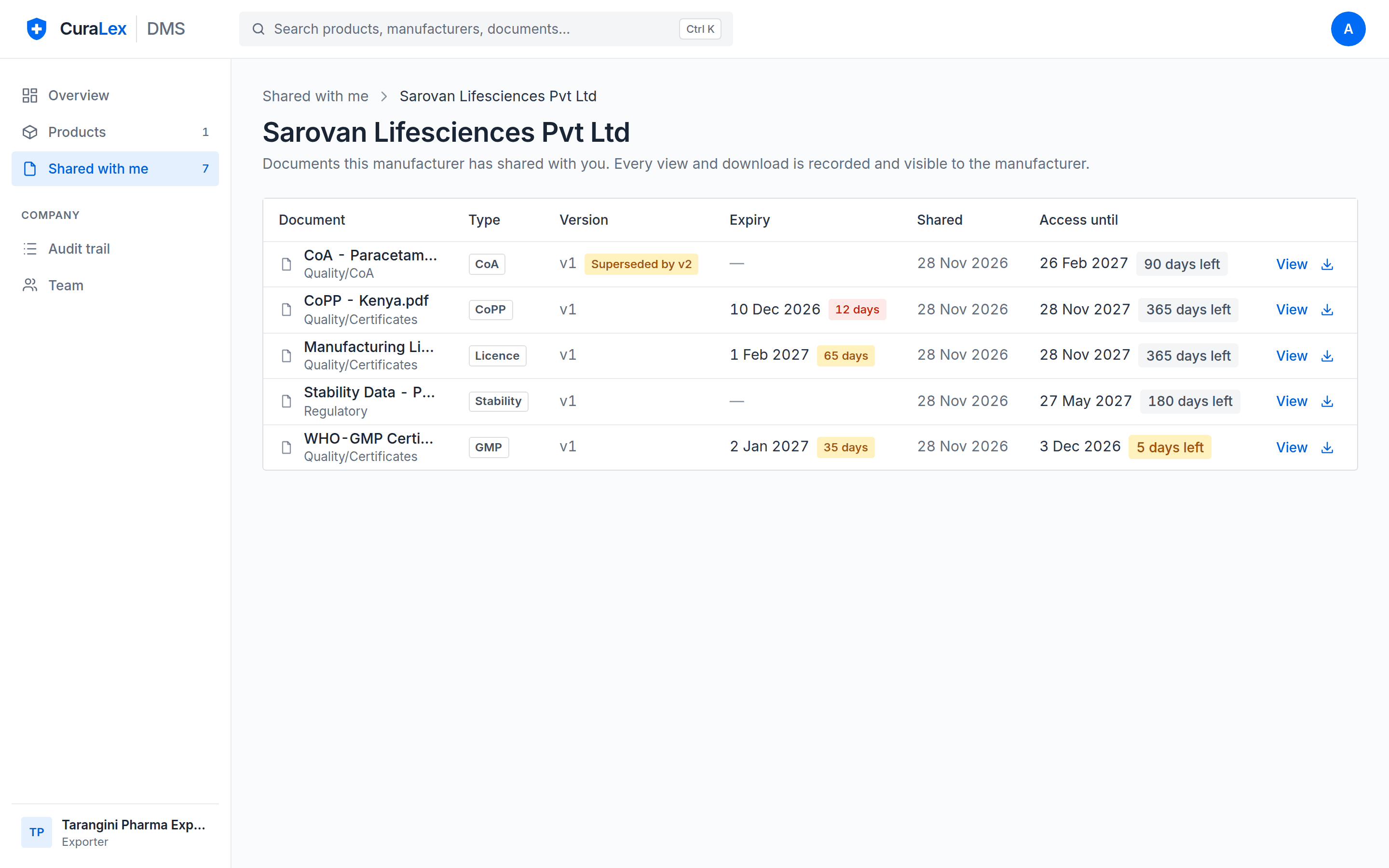
Each exporter has a page showing what they hold, until when, and every view and download. Extend access, or revoke one file or everything, with the reason recorded.
- Every view and download logged
- Extend or revoke in one click
- Reasons recorded for revocations
Step 4: Exporters always know what's current
Exporters see only what you shared with them, with its type and expiry date, and a clear “Superseded” badge when you have a newer version. They open files through secure, short-lived links.
- Expiry dates and superseded versions flagged
- View or download through secure links
- Nothing visible that you didn't share
For merchant exporters
Every manufacturer's documents, organised by product
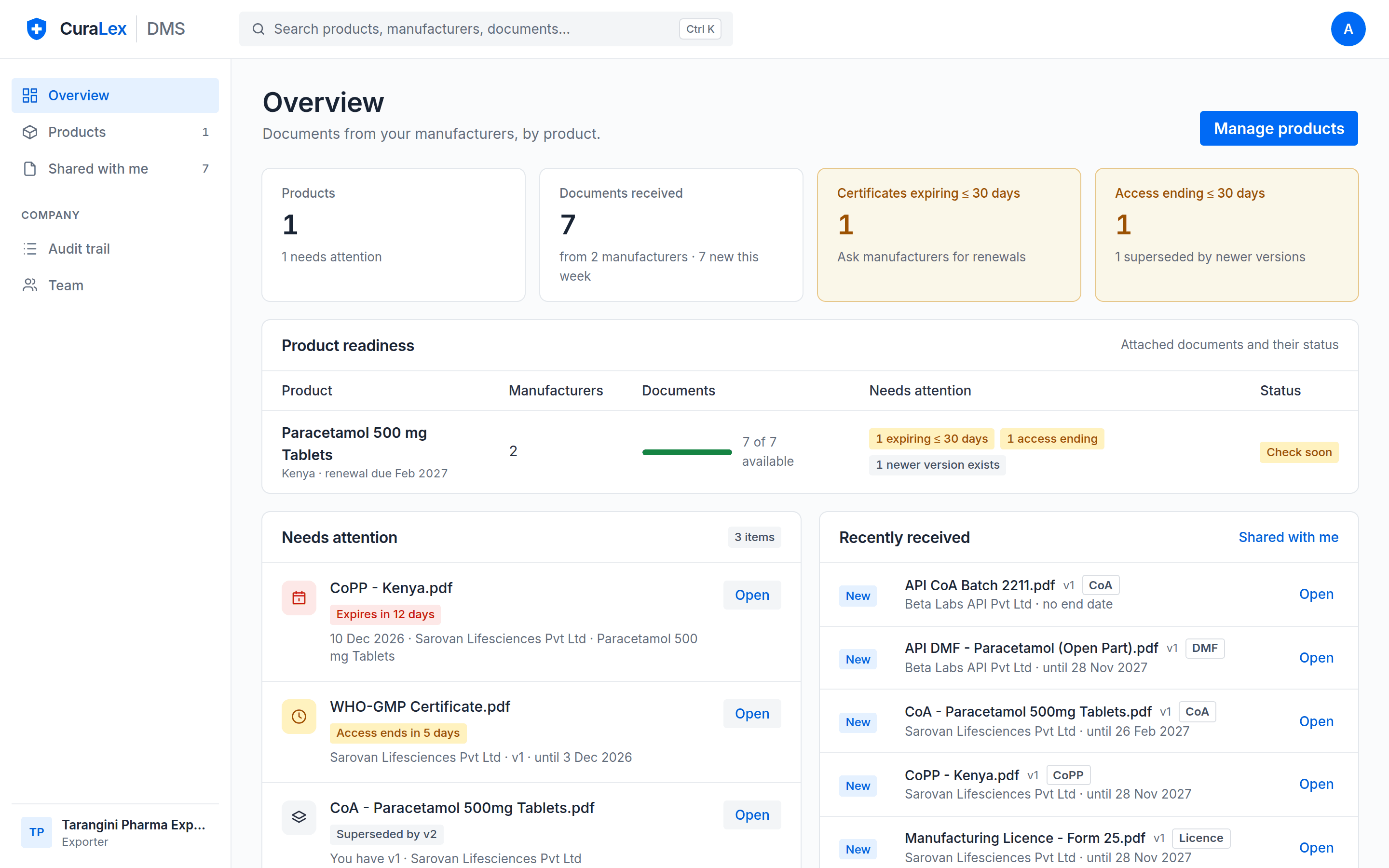
Manufacturers invite you by email. Group what they share into products, such as “Paracetamol 500 mg Tablets, Kenya”, with the finished-product and API manufacturers behind each one, and see at a glance what is missing, expiring or out of date before you file a registration or renewal.
- Product readiness at a glance
- Certificates expiring and access ending, flagged
- One login for all your manufacturers
Security and compliance
Built for regulated documents
Designed around the document-control expectations of Revised Schedule M, with the audit trail inspectors ask for.
Invite-only, Google sign-in
Only people you or CuraLex invite can sign in, with their Google account. We never see or store passwords.
Roles from Revised Schedule M
Document author, QA approver, document controller, viewer and company admin. Each person can do only what their role allows.
Each company sees only its own data
Access is enforced in the database. Exporters see only documents shared with them; CuraLex staff can't open your files.
Tamper-evident audit trail
Every upload, share, revocation, view and download is recorded with who, when and why, chained so edits are detectable, and exportable to CSV.
Reasons for critical changes
Deleting a document, revoking access or removing an exporter requires a reason, stored with the change.
Private storage, short-lived links
Files sit in private storage. Each view or download is checked, logged and served through a link that expires in 60 seconds.
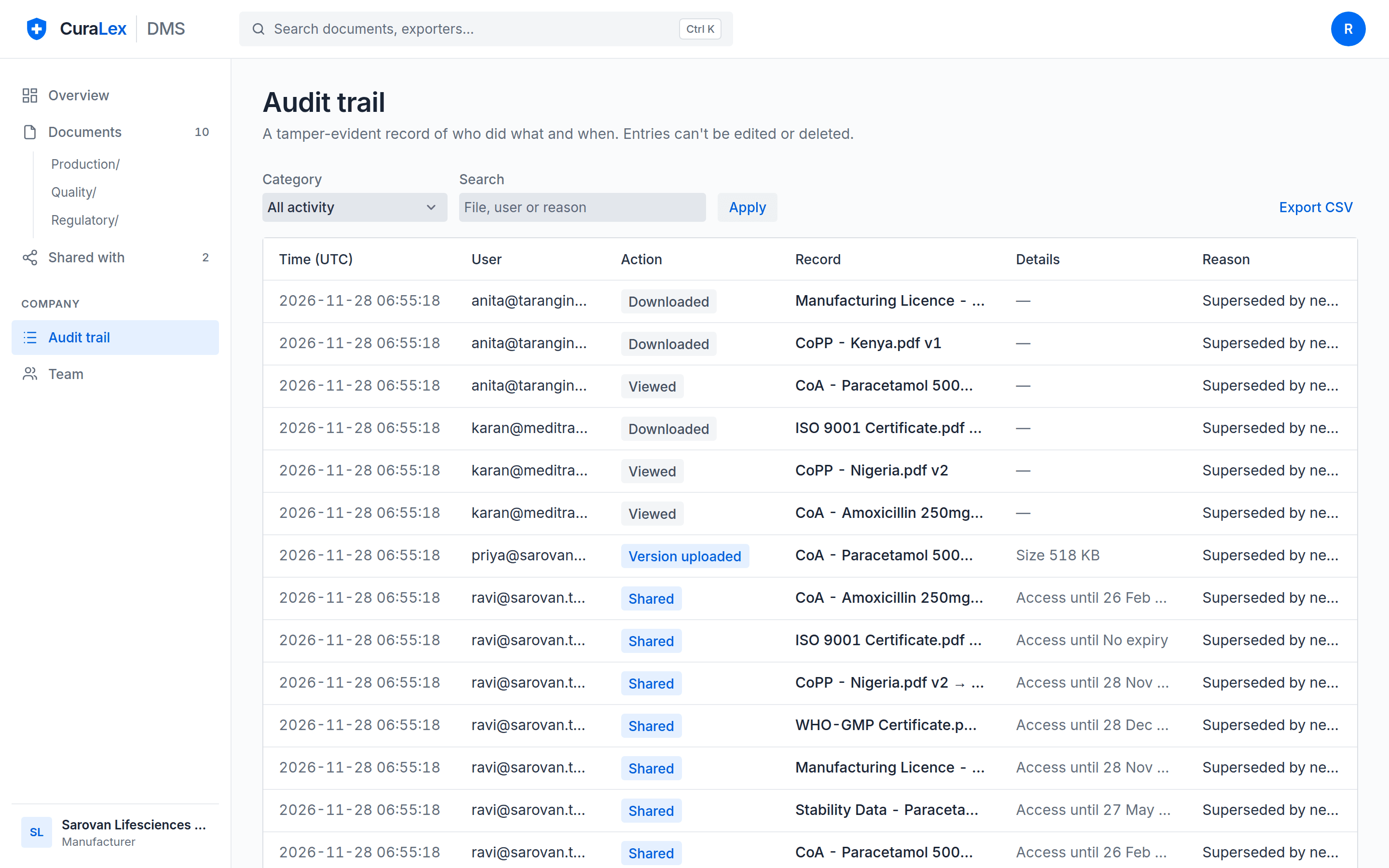
Audit trail with integrity check and CSV export
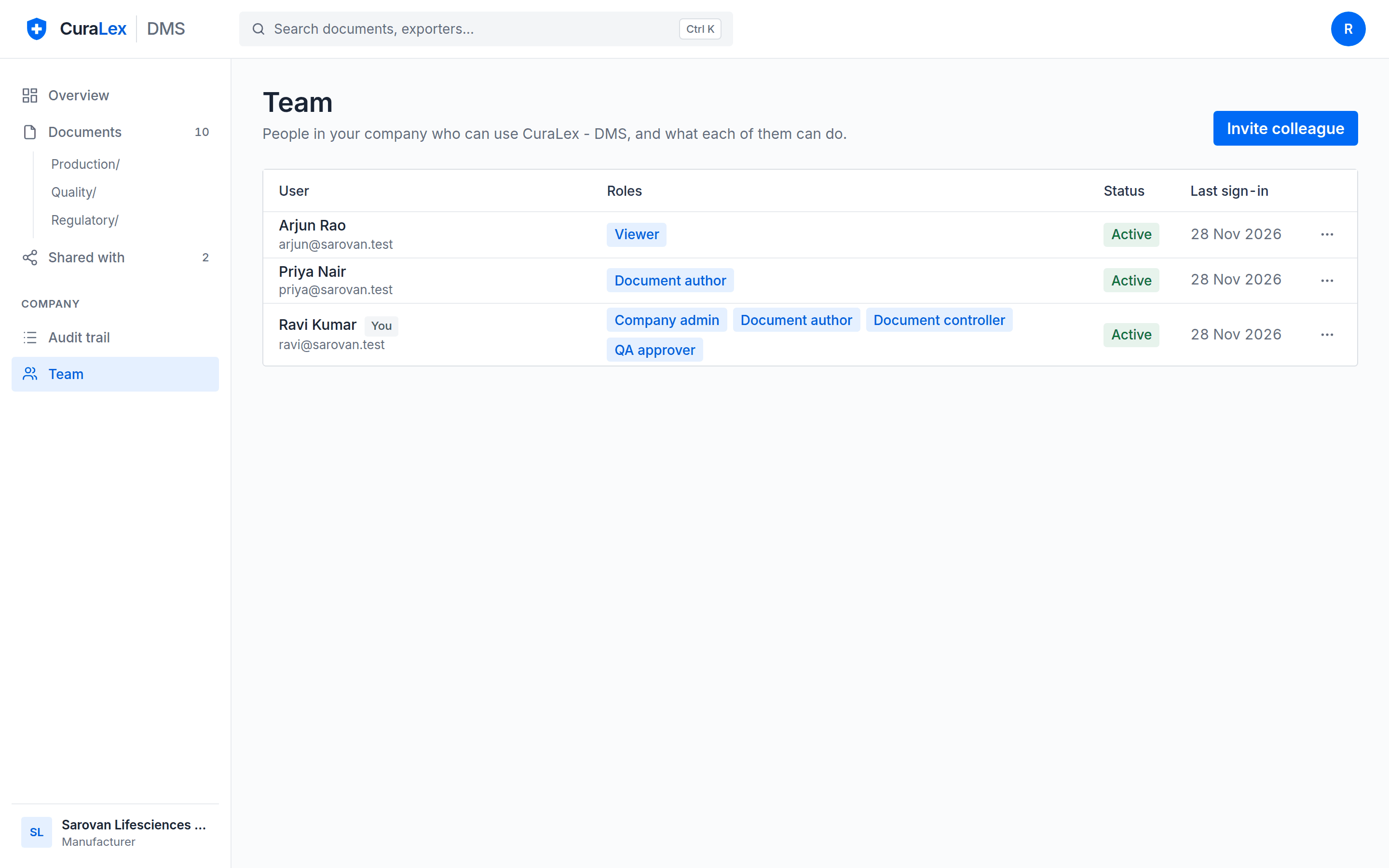
Team members and their roles
Electronic signatures and a QA approval workflow aligned with 21 CFR Part 11 and EU Annex 11 are on our roadmap.
Questions
Who is CuraLex - DMS for?
Pharmaceutical manufacturers, especially MSMEs, who supply merchant exporters, and the exporters who need those manufacturers' documents for registrations and renewals in their target markets.
How do exporters join?
A manufacturer invites them by email from CuraLex. The exporter signs in with that Google account and immediately sees what has been shared with them.
Which documents can I manage?
Any file up to 50 MB: certificates of analysis, CoPPs, GMP and ISO certificates, manufacturing licences, DMFs, stability data, specifications, SOPs and more.
Do I need a Google account?
Yes. Sign-in is with Google, either a Gmail address or your company's Google Workspace account. CuraLex never handles passwords.
Can I take back access?
Yes. Revoke a single document, several, or everything for an exporter at any time, or set an end date when you share. Every change is recorded with a reason.
Does it replace our QMS?
No. CuraLex is a controlled place to keep and share the documents your QMS produces, with access control and an audit trail around the sharing.
Get started
Request access
CuraLex - DMS is invite-only. Tell us about your company and we'll set up your workspace.
- We review your requestUsually within one working day.
- We set up your companyYou get an invitation email for your Google account.
- Invite your exporters or colleaguesUpload documents and start sharing the same day.
Prefer email? Write to hello@krylox.ai.